
Most RevOps teams did not discover HubSpot's full-funnel problem by reading documentation. They discovered it when an executive asked a question that should have been simple: "of the leads we generated from the Q3 content campaign, how many became closed-won deals, how long did it take, and which campaigns had the highest downstream win rate?" - and found out there was no clean way to answer it inside HubSpot.
The problem is structural. Marketing sees MQLs in the Contacts object. Sales sees pipeline in the Deals object. Customer Success sees support volume and satisfaction scores in the Tickets and Surveys objects. HubSpot's native reporting works object by object, and the handoffs between those objects - the exact transitions RevOps is supposed to measure - are where the visibility breaks down.
This post explains why that limit is baked into HubSpot's data model, what kinds of queries actually close the gap, and how AI Context Bridge for HubSpot makes those queries accessible in plain English without replacing HubSpot as your CRM.
HubSpot's Object Model Is Not a Funnel
HubSpot organizes data into discrete objects: Contacts, Companies, Deals, Tickets, Products, and custom objects on higher tiers. Each object has its own properties, its own association records, and its own section of the reporting builder. That architecture is excellent for CRM operations: lead routing, workflow automation, individual record management.
What it is not is a continuous funnel. When you want to trace the path from a contact's first marketing interaction to their associated deal's close date to their first support ticket, you need to join three objects in a single query. HubSpot's custom report builder can pull in a second associated object for context - a useful workaround - but it cannot join three objects simultaneously, cannot run window functions like LAG() or RANK(), and cannot compute aggregate-of-aggregates.
That last limitation deserves a concrete example. Suppose you want to calculate each sales rep's individual win rate and then average those rates across a region. That gives you a meaningfully different number than a simple aggregate win rate (which weights reps with more activity more heavily). HubSpot cannot express that calculation. It requires computing a sub-aggregate first, then aggregating the results: two passes over the data that SQL handles naturally but HubSpot's report builder cannot do.
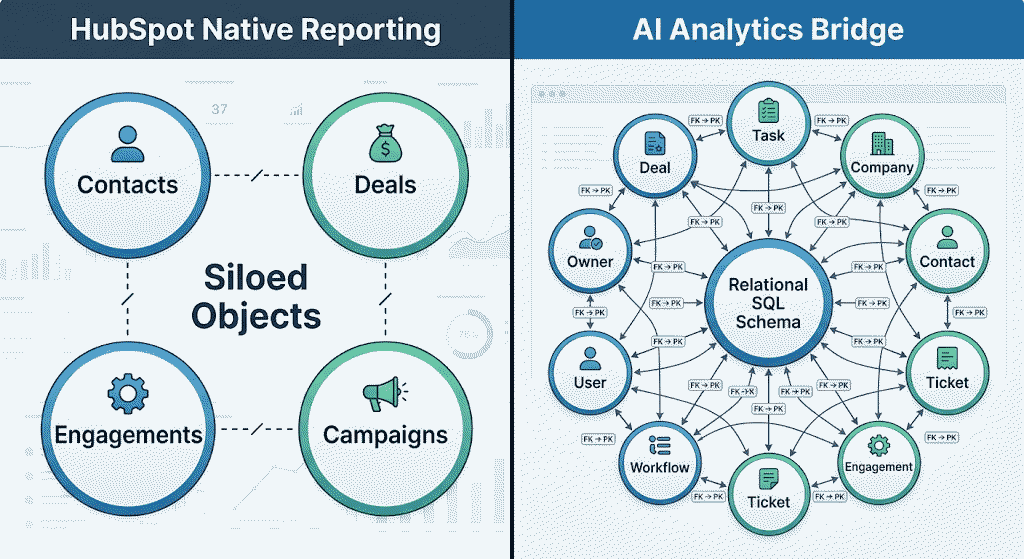
This matters specifically for RevOps because the questions RevOps exists to answer - the cross-team, cross-stage questions - almost all require that kind of multi-object logic.
The Three Handoffs RevOps Can't Measure Natively
Think through the major handoffs in a B2B revenue motion.
MQL to SQL. Marketing generates leads from content, paid, and organic channels. The relevant RevOps question is not how many MQLs were generated. It is which lead sources and campaigns produced contacts that actually got qualified, entered the pipeline, and converted at what rate. That question requires joining marketing engagement events to contacts to deals, and filtering on the status-change dates in between. It is a three-table join.
SQL to Closed-Won. Sales works qualified leads through pipeline stages. RevOps needs to know where deals stall (stage-rot analysis) and whether deals from certain company segments convert at different rates. Stage-rot analysis requires comparing deal stage entry timestamps using window functions. Segment analysis requires joining Deals to Companies on the associated company ID. HubSpot can approximate parts of this, but not the full calculation in a single query.
Close to Renewal. Once a deal closes, CS takes over. The RevOps question is whether customer attributes at the time of acquisition predict expansion, contraction, or churn a year later. That is a three-object join: original deal properties (from Deals), support volume and satisfaction over the first year (from Tickets), and renewal deal outcomes (back to Deals). HubSpot's report builder has no path to this.
In HubSpot native reporting, each handoff is partially visible in isolation. What you cannot get is a single dataset that traces the continuous path from first contact interaction through deal close through renewal. That is the full funnel, and it does not exist as a native HubSpot report.
What Cross-Object SQL Actually Looks Like
Once HubSpot data lives in a real relational database, the queries that were impossible become straightforward.
Take marketing attribution - one of the most common full-funnel RevOps requests: for each marketing email or content offer, what share of engaged contacts became a deal within 90 days, and how long did it take on average?
In SQL, this is a three-table join with a common table expression (CTE) for first-touch attribution: join email engagement events to Contacts on contact ID, join Contacts to their associated Deals, filter to deals created within 90 days of the first engagement, then group by email or offer to compute conversion rate and average time-to-deal. That is roughly 20 lines of T-SQL. A capable analyst could write it in 15 minutes. But HubSpot's report builder cannot express it, because it requires joining three objects and computing a derived metric before aggregating.
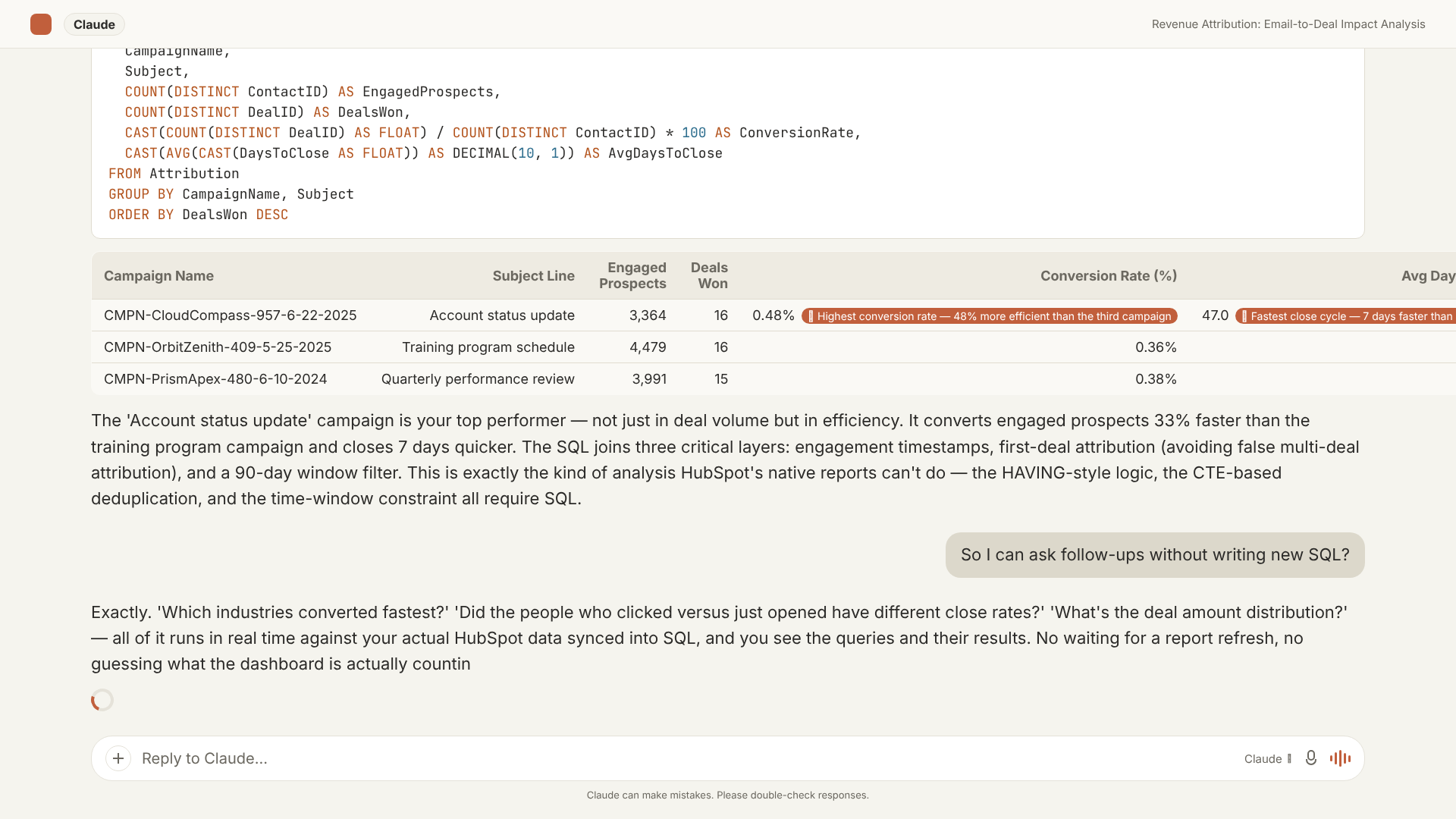
The schema that DataLabs.store syncs from HubSpot preserves the full object graph as a set of properly keyed relational tables - Contacts, Companies, Deals, Engagements, email events, and association tables - with foreign keys intact. A question that spans marketing activity and sales outcomes becomes a join, not a spreadsheet project.
Full-Funnel Questions That Become Answerable
Here are specific questions RevOps teams can ask once HubSpot data is in SQL - questions that are out of reach in native reporting:
Pipeline quality by lead source. "Which lead sources produce deals that close in under 60 days, versus which inflate pipeline and stall?" Requires joining Contacts (original source property) to Deals (close date, stage, amount) and computing time-in-pipeline with a date-difference function.
Rep win-rate weighting. "Weight each rep's open pipeline by their own historical win rate - not the team average - to produce a forecast-adjusted pipeline number." Requires computing each rep's win rate as a sub-aggregate and applying it as a multiplier to their current pipeline. This is aggregate-of-aggregates: unavailable in HubSpot native reporting, a routine SQL pattern.
Deal velocity by company segment. "What is the average deal velocity for Q3 compared to Q4, broken down by company industry?" Requires joining the Deals table to the Companies table on the associated company ID: a two-table join that HubSpot's report builder handles poorly for time-series comparisons.
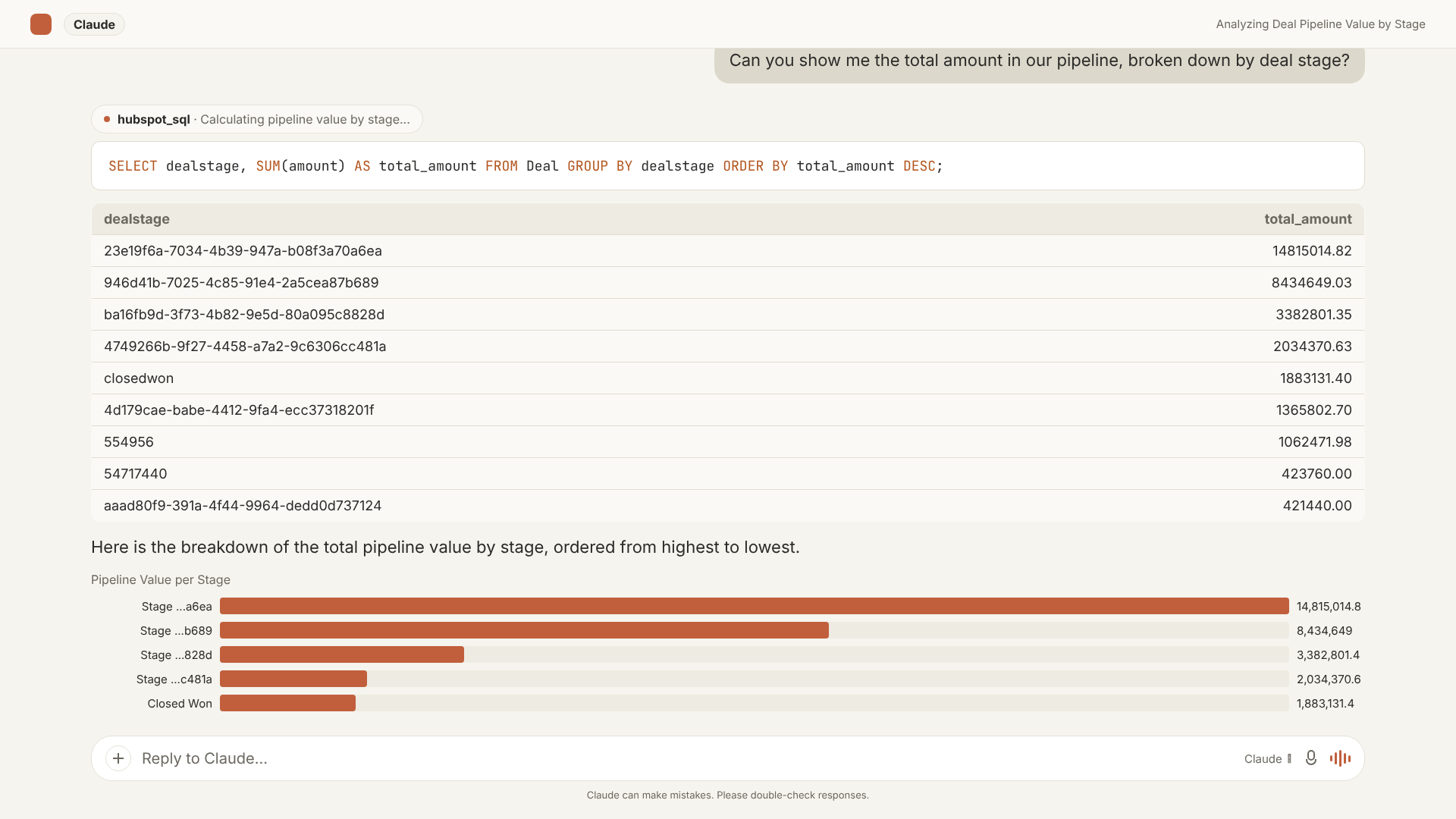
Stage-rot detection. "Which deals have been sitting in a specific stage longer than the historical median time-in-stage for won deals from similar company segments?" This requires a window function: computing a percentile across all historical deal stage durations by segment, then comparing it to each open deal's current stage age. HubSpot has no equivalent.
CS expansion prediction. "Among accounts that renewed in the past two years, which company properties at the time of the original close predicted expansion at renewal versus flat renewal?" Joins Companies to original Deals to renewal Deals, correlating original deal attributes to renewal outcomes.
How AI Context Bridge Closes the Gap
AI Context Bridge for HubSpot works in three steps.
First, it syncs your HubSpot portal into a real Microsoft SQL Server database via OAuth. The schema is relational: Contacts, Companies, Deals, Tickets, Engagements, and association tables land as distinct, properly keyed tables - not a flat export, not a JSON blob. The sync runs on a schedule (daily to hourly depending on tier), keeping the data current for regular reporting cadences.

Second, it exposes that database as an MCP (Model Context Protocol) endpoint: a standard both Claude and ChatGPT support. When you ask a question, the AI writes a SQL query against your actual schema, runs it, and returns the result in plain English alongside the query that produced it.
Third, and most importantly for RevOps credibility: every answer shows the underlying SQL. You can verify the query expresses what you intended, share it with a data analyst for review, or copy it into Power BI or Excel to build a recurring report from it. There is no black box.
For RevOps teams specifically, this means asking "which lead source has the highest downstream win rate in enterprise accounts?" in a chat interface and getting back a real answer from a JOIN across Contacts, Companies, and Deals - not a dashboard approximation that excludes edge cases which do not fit a single-object filter.
Where to Start
If your RevOps function has ever assembled a "full-funnel" slide from three separate HubSpot exports in Excel, the underlying issue is not your spreadsheet skills. It is that HubSpot's object model was designed for CRM workflows, and cross-object funnel analytics require a relational query layer that it does not natively provide.
Cross-object SQL is not a workaround or a consolation prize. It is what the analysis actually requires - and a sync layer that puts your HubSpot data into SQL makes it accessible without a dedicated data engineering team or a separate data warehouse build.